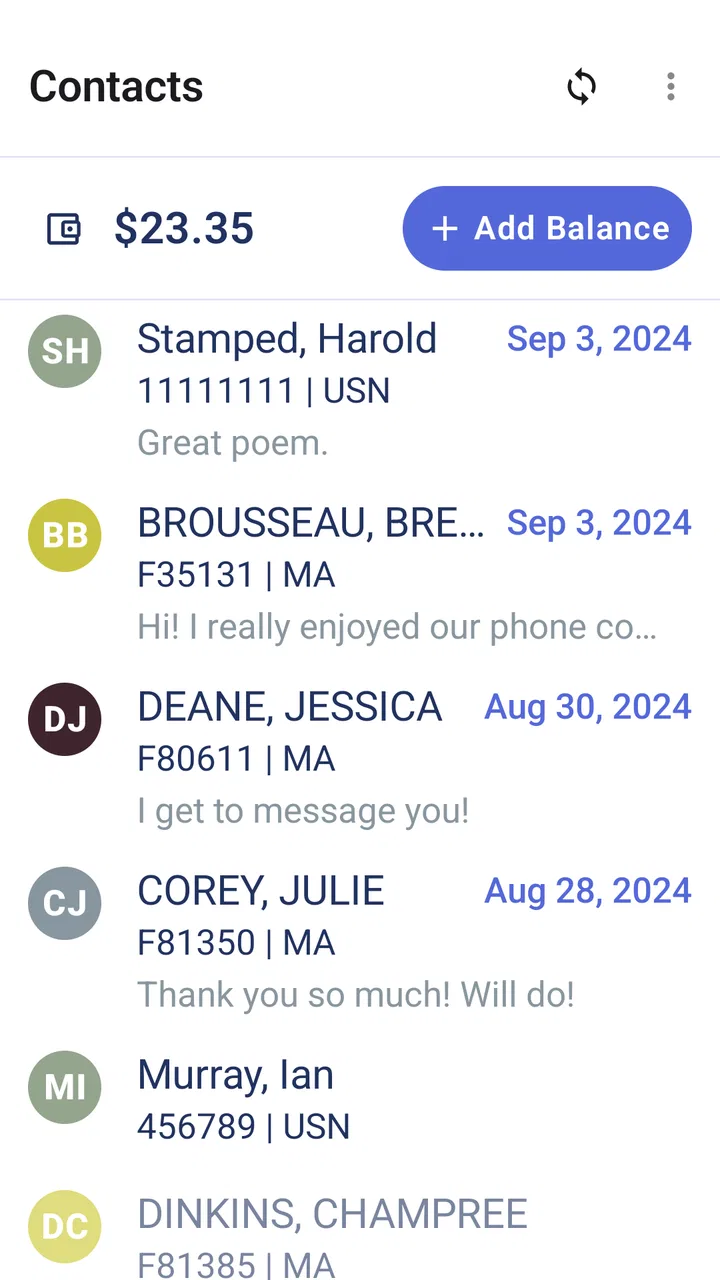
CorrLinks Text Chat
- 3.3
- Rating
- 50.00K
- Installs
- Free
- Price

 Analysis by App-foxy
Staying in touch with an incarcerated family member can be emotionally important, but the practical side of communication is often less predictable than sending a normal text. CorrLinks Text Chat is built for that specific situation: it is a free communication app from Advanced Technologies Group, LLC that helps people chat with incarcerated family and friends. After using it, I see its value less as a general messaging replacement and more as a focused bridge for conversations that depend on an approved correctional communication system.
The app sits in the communication category and carries an Everyone age rating, which makes its purpose easy to understand for households with different generations using it. It reached the market on September 11, 2024, and the current release is version 3.8.2. Its store summary is brief, but the real question is whether it makes regular contact feel manageable when both sides are dealing with different technical environments. My answer is cautiously positive: it can make an important routine easier, although it does not remove the delays, network requirements, or institutional limits that come with this kind of service.
How CorrLinks Text Chat feels when connectivity matters
I find that connectivity shapes more than whether a message sends: it affects how I plan the conversation and what I expect from the reply. In this section, I look at practical ways to make each exchange clear and manageable, then turn to the handoffs that can influence when a message reaches the other person.
You May Also Like

 Blood Strike: 2.5 Anniversary
Blood Strike’s Loadouts Turn Every Drop Into a Tactical Gamble
A close look at Blood Strike’s custom loadouts: how fast access to signature weapons reshapes its battle royale rhythm, rewards preparation, and narrows the gap between fights.

 Pandora - Music & Podcasts
Pandora’s Music Is Easy to Start, but Harder to Recover
Pandora’s strength is its low-effort path from a seed to a station. Its weak spot is how much confidence it asks you to place in connection, setup, and quiet recovery.

 8 Ball Pool
 Is Built on Rivalries, Rematches, and Routine
A close look at the rivalries, rematches, shared routines, and unanswered safety questions that turn a quick pool match into a persistent mobile community.

 Samsung Music
’s Quiet Strength Is Playing What You Already Own
Its reach comes less from spectacle than from dependable access to a personal library. That simplicity is both the app’s strongest retention engine and its ceiling.

 AccuWeather: Weather Radar
AccuWeather Review: A Quick, Clear Forecast for Everyday Decisions
For everyday plans, the best forecast is the one you can understand quickly. AccuWeather makes rain timing, radar, and local conditions easy to act on, with a few trade-offs.

 Hill Climb Racing
Why Hill Climb Racing Still Turns Crashes Into One More Run
A tiny car, a bumpy hill and one more upgrade: Hill Climb Racing keeps resurfacing because its simple chaos makes every near-miss feel personal.
More From Our News Desk
View All News


The conversation starts with the network, not the message
The first thing I noticed is that this is not an app I would treat like a conventional offline notebook or a private SMS replacement. Its usefulness depends on a connection between the phone, the app’s service, and the communication system used by the incarcerated person. That changes how I approach every message. If I am trying to send something urgent, I would not assume that tapping send means the other person will read it immediately.
That distinction matters in everyday life. A parent might write during a lunch break, then continue with work without knowing exactly when the message will be available. Someone supporting a partner may check for a reply several times during the day, only to discover that the delay is related to connectivity or the wider communication process rather than a lack of interest. The app is most useful when I treat messaging as a dependable routine, not as instant conversation.
When the connection is stable, the focused design works in its favor. There are fewer distractions than in a broad social platform, and the purpose is clear from the moment I open it. I am not sorting through a feed, managing unrelated chats, or trying to convince a relative to use a new public messaging network. The value comes from keeping attention on one meaningful exchange.
Why mobile use is convenient, but not effortless
CorrLinks Text Chat makes sense for people who communicate while moving through ordinary parts of the day. I can imagine checking it before leaving home, writing a thoughtful reply on a commute, or sending a short update after an appointment. A phone is more practical than waiting until I am at a desktop computer, especially when contact is part of a weekly family rhythm.
Still, mobile convenience can create the wrong expectation. A phone encourages quick replies, while this kind of communication may require patience. I would avoid writing a message while rushing between tasks if the subject is sensitive or important. A better habit is to draft the thought mentally, open the app when the connection is reliable, and reread the message before sending. That small pause is useful because a delayed exchange leaves less room for immediate clarification.
The app is also a better fit for short, deliberate updates than for trying to recreate a live conversation. I would use it to share news from home, explain a practical change, offer encouragement, or ask a clear question. I would not rely on it for a rapidly changing plan where both people need answers within minutes. For those situations, a different approved communication method, when available, may be more suitable.
A realistic daily scenario
Imagine that I am helping a family member keep track of a child’s school event. In the morning, I could send the date, time, and a short description through the app. Later, instead of sending several scattered messages, I would collect the important details into one organized update. If I receive a reply after the event has already started, I would understand that the conversation is working on its own timetable.
This is where the app can quietly improve communication. It encourages me to write with enough context that the other person does not need to ask several follow-up questions. I might include who attended, what happened, and what the next step is in one message. That approach is more considerate than sending a series of tiny fragments that only make sense when read immediately.
For families, the emotional benefit is not just the ability to type. It is the possibility of preserving a recognizable pattern of contact. A short morning greeting, a weekend update, or a message about ordinary household news can help maintain connection. The app cannot make the circumstances ordinary, but it gives the conversation a dedicated place on the phone.
What happens when a message does not seem to go through
Connectivity problems are the part I would prepare for before making this app central to family communication. A weak mobile signal, unreliable Wi-Fi, or an interruption in the service can make the status of a message feel uncertain. The worst response is usually to tap repeatedly or immediately send the same text several times. That can create confusion and make it harder to know which version was actually submitted.
My practical workflow would be simple. First, I would check whether other internet-based apps are working. Next, I would reopen the conversation carefully rather than repeatedly pressing the send control. I would then wait before attempting the message again, especially if the content is important. Keeping a brief personal note of what I intended to send can also prevent me from rewriting the same message in frustration.
If the app behaves normally but a reply does not arrive, I would avoid treating silence as proof that the person is ignoring me. The delay may be connected to the recipient’s access or the broader review and delivery process. That is not a flaw I can solve from the phone. The healthier approach is to use the app for clear communication and keep expectations realistic about response time.
Recovery also means having a backup plan for genuinely urgent matters. I would not use this chat as my only channel for an emergency, a last-minute medical concern, or a time-critical legal issue. In those cases, I would contact the appropriate institution or responsible person through the relevant official route. CorrLinks Text Chat is designed for maintaining contact, not for replacing every formal or urgent channel.
Writing in a way that survives delay
One of the most useful adjustments is to write messages that remain understandable even if they are read much later. I would put the main point near the beginning, use names and dates when they matter, and avoid phrases such as “the thing we discussed yesterday” unless I restate the subject. This is especially important when a conversation is separated by long gaps.
I would also separate emotional subjects from practical instructions. A message can begin with reassurance, then move into the specific update or question. That structure makes it easier to follow and reduces the chance that an important detail is buried in a long paragraph. It also gives the recipient a clear way to respond, even if they cannot answer every part at once.
Another small but meaningful habit is to reread messages from the other person’s point of view. Humor, sarcasm, and vague wording are harder to handle when there is no immediate back-and-forth. I would choose plain language when discussing family plans or stressful news. This is not because the app is difficult; it is because network-dependent communication magnifies the cost of misunderstanding.
Using mobile data thoughtfully
Text-based communication is generally a more restrained choice for a phone plan than media-heavy services, but I would still use the app with the same awareness I apply to any connected service. If I am traveling or relying on limited mobile data, I would prefer a trusted Wi-Fi connection when practical. I would also avoid leaving the app open unnecessarily while moving through areas with unstable coverage.
Being data-conscious is not only about the amount used. It is also about protecting attention. Constantly checking for a reply can turn an important communication tool into a source of anxiety. I would choose a few sensible times to check rather than refreshing throughout the day. That routine helps me stay available without allowing the uncertainty of delivery to dominate my schedule.
For households sharing a phone plan, this matters even more. A family member may use the app frequently, while another person is watching the monthly allowance. Since CorrLinks Text Chat is free to download and use as an app, the practical cost conversation is still about the phone connection and the family’s overall plan rather than an advertised purchase price. I would explain that distinction before recommending it to someone who is carefully managing expenses.
Where it fits beside ordinary messaging apps
Compared with familiar services such as standard SMS or broad internet messengers, this app’s strength is its specific purpose. Ordinary texting is convenient when both people have compatible phone access and can communicate directly. Public messaging platforms offer more social features, but those features are irrelevant if the incarcerated person cannot use the same platform. CorrLinks Text Chat is the more logical choice when the communication relationship is tied to the CorrLinks environment.
That specialization is also its main limitation. I would not install it expecting a replacement for family group chats, workplace messaging, video calls, or casual conversations with friends. It is not the app I would choose for coordinating a large event with people who already use another service. Its value depends on having the right contact relationship and a reason to communicate through this particular system.
The comparison also highlights a difference in expectations. With ordinary SMS, people often assume that a message is nearly immediate. With CorrLinks Text Chat, I would judge success by whether it supports consistent, understandable contact within its intended setting. That is a fairer standard and leads to a more accurate impression of the app.
Who will appreciate it most
I think the best audience is a relative or friend who wants a dedicated way to maintain written contact with an incarcerated person and is willing to work around connection-dependent timing. It can be particularly useful for people who prefer composing thoughtful messages rather than making short calls, and for families that want a repeatable communication habit.
It is also a reasonable option for someone who does not want to navigate a general social network just to stay in touch. The narrow purpose reduces the temptation to compare it with entertainment or community apps. If the person I am contacting already participates through the related CorrLinks system, the app has a clear role instead of becoming another unused installation.
I would recommend skipping it if I needed instant replies, offline access, or a full set of modern social features. I would also hesitate to make it the only option for someone who struggles with uncertainty around delayed messages. In that case, setting expectations with the family first is just as important as installing the app. A different approved channel may be better if the institution and recipient offer one that matches the family’s timing needs.
Small habits that improve the experience
I found that the app is easier to live with when I make the communication process intentional. Before sending, I would gather the details into one message, identify any direct question, and remove information that could be misunderstood without context. That reduces unnecessary back-and-forth and makes each exchange more useful.
I would also keep a personal calendar reminder for the communication routine rather than depending on spontaneous checks. This is not a feature claim about the app; it is a workflow choice that helps prevent missed contact. A reminder can be especially helpful for relatives who are balancing work, childcare, and visits while trying to maintain regular written communication.
Finally, I would keep sensitive expectations out of the technology itself. The app can carry a message, but it cannot guarantee a particular emotional response, delivery speed, or resolution to a family problem. Treating it as a tool for contact rather than a solution to every difficulty makes the experience more stable and less frustrating.
What the current release says about accessibility
The current version, 3.8.2, supports devices running Android 7.0 or later. That gives the app a relatively broad Android reach, including phones that are not recent. Before recommending it to a relative, I would still check the phone’s Android version and make sure there is enough room for another communication app. Those are quick checks, but they avoid an awkward setup conversation later.
The app has passed the fifty-thousand-install mark and holds a 3.3 average from around three hundred eighty ratings, with over two hundred thirty written reviews. I read that overall response as a sign of a useful but not universally smooth experience. The rating is not high enough for me to promise effortless operation, yet it is meaningful that a substantial group of users has tried it for this specialized purpose.
Because it is free and rated for Everyone, the initial barrier is low. The more important barrier is suitability: the user needs a compatible Android device, a reliable enough connection, and a recipient relationship that belongs in the CorrLinks communication setting. Those conditions matter more than the download decision itself.
Privacy, patience, and emotional boundaries
When communication involves incarceration, I would be careful about what I write and how I store expectations around the conversation. I would avoid treating the chat as a private diary for deeply sensitive material unless I had already considered the communication context and was comfortable with it. I would also explain to children that messages may not receive quick replies, so a delay should not automatically be interpreted as rejection.
This is an area where the Everyone rating helps describe the broad intended audience, but it does not mean every message is suitable for every age. Parents and guardians should guide younger users through the purpose of the contact and the kinds of information that belong in a family conversation. A calm explanation can prevent a child from becoming distressed by an unexpected pause.
I also appreciate the value of ordinary details. Updates about meals, weather, schoolwork, hobbies, or a small household event may seem unimportant compared with major news, but they help a relationship feel connected to everyday life. The app is at its best when it supports that continuity without pretending to remove the distance between people.
My connectivity verdict
After using CorrLinks Text Chat, I see it as a focused and worthwhile communication app for the people it is actually designed to serve. It does not compete with standard messaging apps on breadth, speed, or social features, and I would not judge it by those standards. Its role is narrower: giving family and friends a practical place to maintain written contact with an incarcerated person.
The strongest reason to choose it is that specialization. When the recipient’s communication access is connected to CorrLinks, a dedicated app is more sensible than trying to force the conversation into an ordinary platform. The most important trade-off is connectivity and timing. I need to be comfortable with messages that may not behave like instant texts, and I need another plan for urgent matters.
My recommendation is therefore conditional but genuine. If you need this specific kind of contact, use the app with a patient routine, clear writing, and realistic expectations. Check your Android compatibility, prefer a stable connection when possible, and avoid repeated sends when the network seems uncertain. For maintaining meaningful contact across a complicated communication boundary, CorrLinks Text Chat is useful precisely when I use it as a steady bridge rather than expecting it to act like ordinary SMS.
FAQs for CorrLinks Text Chat
01What is CorrLinks Text Chat, and who is it intended for?
CorrLinks Text Chat is a communication service designed to let approved contacts exchange electronic messages with people held in participating correctional facilities. It is mainly intended for family members, friends, and other authorized correspondents. Availability depends on the facility, its communication policies, and whether the incarcerated person has access to the CorrLinks system.
02How do I create an account and start messaging someone through CorrLinks?
To use CorrLinks Text Chat, you generally need to create an account with a valid email address and accept an invitation or identification code provided by the incarcerated person or the facility. After linking the account, you can sign in, select the approved contact, and send messages through the app. The exact setup process may vary by institution.
03Are CorrLinks messages monitored, delayed, or restricted?
Yes. Messages sent through CorrLinks are usually subject to correctional-facility rules and may be reviewed, filtered, delayed, or rejected before delivery. Conversations are not the same as private text messages or standard email. Facilities can restrict certain words, attachments, recipients, or topics, and delivery times may vary depending on screening procedures and institutional schedules.
04Does CorrLinks Text Chat cost money to use?
CorrLinks may be free to download, but messaging is not necessarily free. Depending on the correctional facility and the communication program in use, charges may apply to the incarcerated person, the outside contact, or both. Before sending messages, review the pricing information shown in your account and check the facility’s rules, since fees and available features can differ.
05Can I send photos, attachments, or messages to multiple people with CorrLinks?
The available communication options depend on the participating correctional facility. Some CorrLinks programs support only text messages, while others may allow approved photographs or limited attachments after additional screening. Group messaging, forwarding, and other standard chat features may also be unavailable. Always check the contact screen and facility guidelines, and avoid sending prohibited or sensitive material.
Pros
- Keeps families connected with incarcerated users through approved messaging.
- Messages can be sent and received from a convenient mobile app.
- Conversation history makes it easy to review previous exchanges.
- Supports attachments when enabled by the correctional facility.
- Useful alternative to traditional mail for faster communication.
Cons
- Availability depends on the correctional facility and its CorrLinks policies.
- Messages may be delayed by monitoring and approval procedures.
- Both participants usually need active CorrLinks accounts.
- Messaging and attachment fees may apply depending on the facility.
- The interface feels basic compared with modern chat applications.

CorrLinks Text Chat
Gallery